Catch it while you can fix it01
Problems surface before dispatch, not after delivery
If the colour, size or quantity looks wrong, the buyer tells you now — while the parcel is still on your bench — instead of in a refund request weeks later.
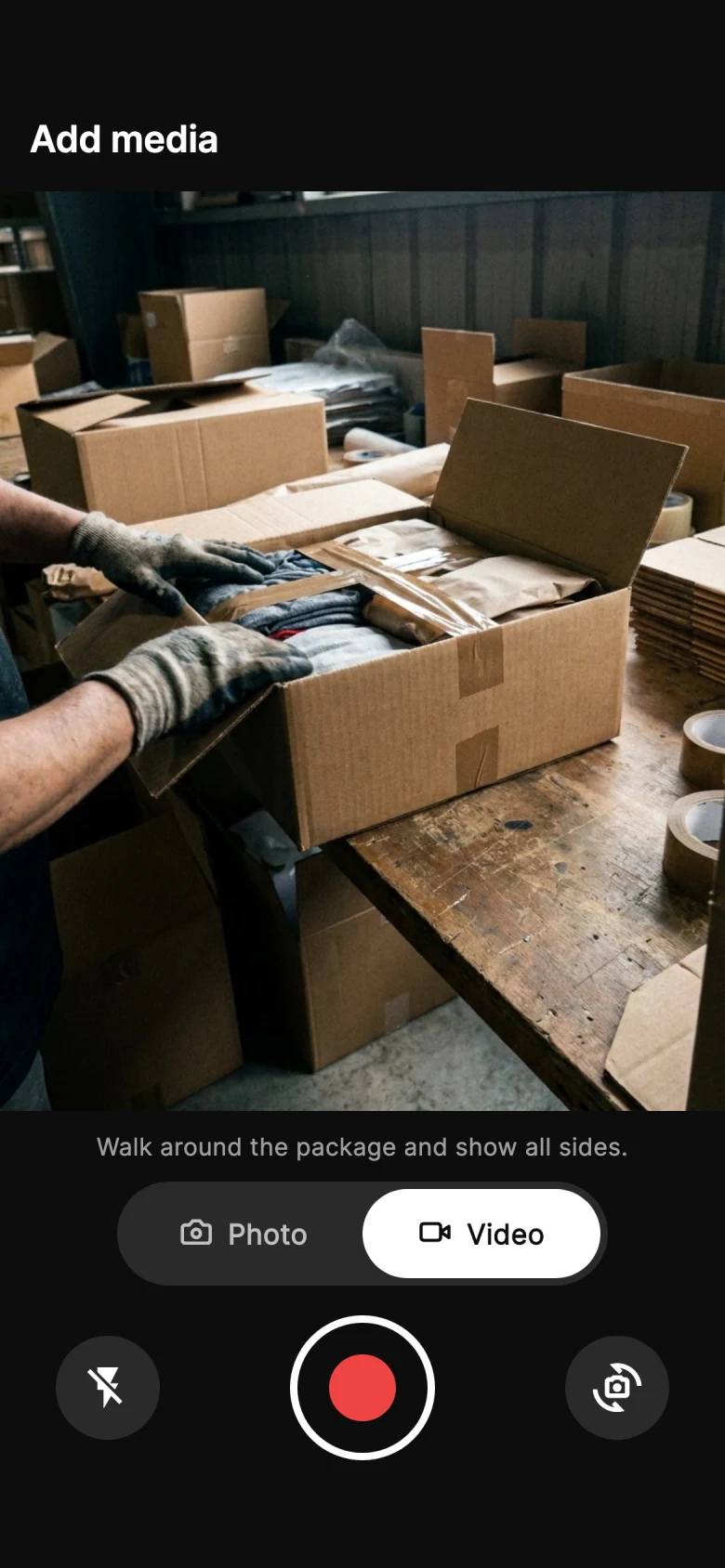
Send the packing video with one private link. The buyer approves or reports a problem, and the answer stays on the order.
Why sellers turn it on
By the time they complain, it is your word against theirs
A claim filed three weeks after delivery is decided on paperwork, not on what actually happened. The moment to settle it is before the parcel ships, while the buyer can still look at what you packed and say yes.
If the colour, size or quantity looks wrong, the buyer tells you now — while the parcel is still on your bench — instead of in a refund request weeks later.
You keep when they opened the link, how much of the video they watched, when they tapped Approve and the device and IP it came from.
The buyer gets a private link by e-mail, or by SMS or WhatsApp. It opens in their language with your logo and colour — no app to install, no account to create.
Two sides of one link
The buyer gets a clean page with your logo, their items and the packing video. You get the record behind it — when they opened it, how much they watched, what they decided and where the answer came from — saved on the order.
Their order, their items and the packing video, with Approve and Report a problem underneath. In their language, in any browser.
Opened, watched and decided — with the time, the device, the IP address and, with consent, the location of the answer.
The same record goes into the order’s evidence file, right next to the packing video.
Same order, two endings
The complaint is the same. What you can answer with is not.
Without buyer approval
Your word against theirs
The parcel ships with a tracking number.
Three weeks later: “This isn’t what I ordered.”
You have a receipt and your word.
With PallasMark
Their own answer, on recordBefore dispatch, the buyer opens the packing video.
They watch it to the end and tap Approve at 15:04.
A later claim is answered with their own approval record.
How buyer approval works
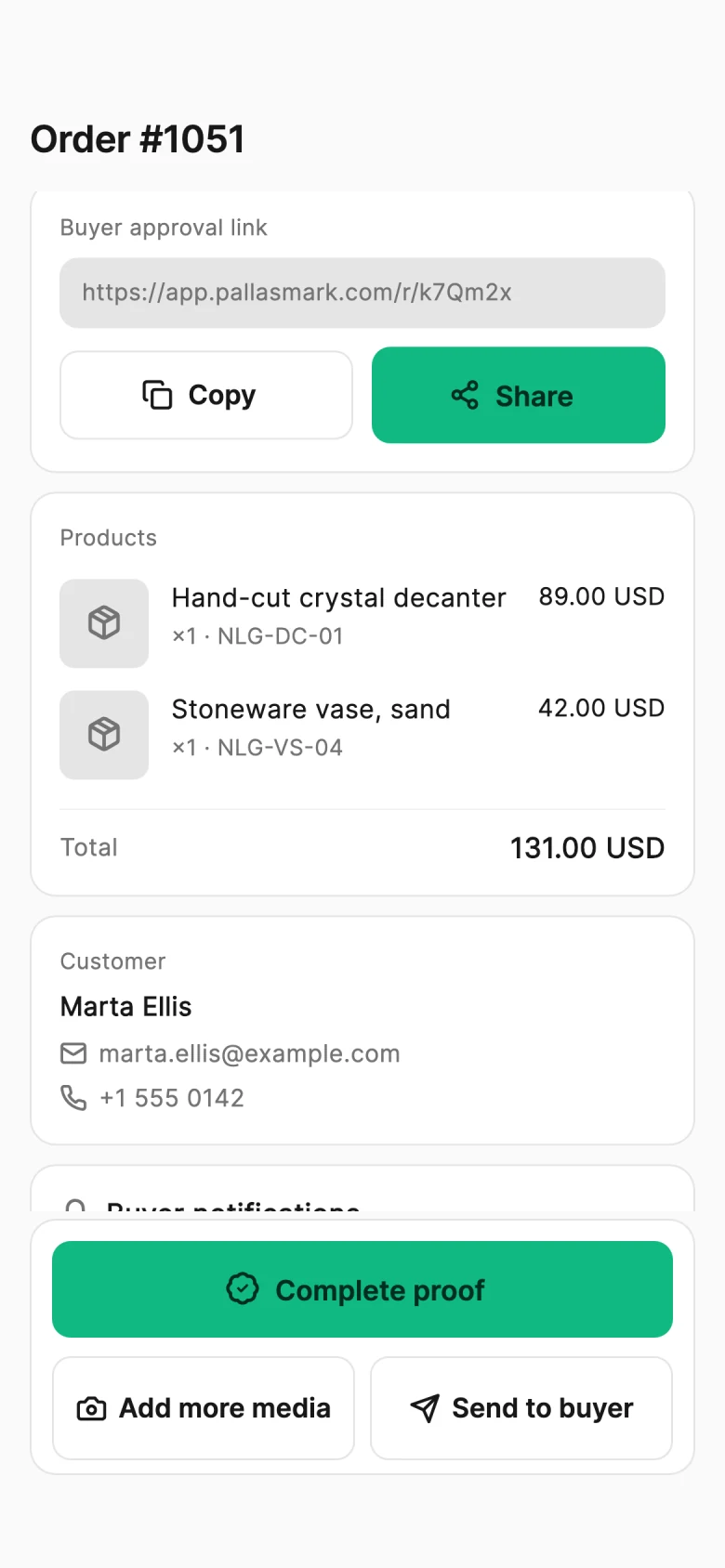
The screens below are the real buyer page and order record, shown with sample data.
Step 1 of 4
What the approval record holds
Watch tracking
Watch time is recorded as seconds watched out of the video's length. You can also keep the Approve button locked until the buyer has watched a share of the video you choose.
Decision record
The decision is stored with the time, the IP address and the device details of the browser that made it, next to the exact media the buyer was shown. Each link accepts one decision.
Report a problem
If something looks wrong, the buyer writes what and can attach a photo or video. You can make the attachment required, so an objection always comes with something to look at.

Session replay
PallasMark records the buyer's page interactions — scrolling, taps, opening media — so you can replay the visit. It is not a camera or screen recording, and form fields are masked.
Location consent
Turn on location and the buyer's browser asks before anything is shared. If they allow it, coordinates and accuracy are stored; if they refuse, the refusal is stored instead.
Terms acceptance
Show your shipment or return terms above the Approve button. The buyer accepts each document, and the accepted text and its fingerprint are kept with the decision.
Create an order, record what goes in the box, and send the buyer a private link before dispatch.
Buyers open the link in their browser; no app or account is required.
Facts, not adjectives. Everything below describes what the product does today — nothing here is on a roadmap.
Availability
Buyer review modes are included on every plan. SMS and WhatsApp messages use notification credits; e-mail is included.
PricingCatch it while you can fix it
Problems surface before dispatch, not after delivery
Their answer, on record
“I never agreed to this” meets a timestamped Approve
Nothing for the buyer to set up
One link that opens in any browser
Questions merchants ask
Buyer approval — also called pre-shipment approval — is a check before dispatch. You record the items and the packing in the PallasMark app, then send the buyer a private link to the photos and video of their own order. The buyer either approves what they see or reports a problem, and PallasMark saves that answer on the order with the time, the device it came from, how much of the video was watched and any terms they accepted. If the buyer later says an item was missing, damaged or not as described, you have their own confirmation from before the parcel left.
Yes — that is exactly what buyer approval does. Record the order in the PallasMark app as you pack it, then send the buyer a private link from the order. They see the photos and video of their own item and tap Approve or Report a problem before the parcel leaves. Their answer is saved on the order with the time, the device and how much of the video they watched, so a later “this isn’t what I ordered” claim can be answered with their own approval.
Yes. Buyer approval works on any order, which makes it a natural fit for personalised, made-to-order and handmade items, where “not as described” claims are most common. Film the finished piece — the engraving, the colour, the size, the details the buyer cares about — and send it for approval before you ship. If the buyer wants something changed, they report it with a photo or video while the item is still on your bench, so you can fix it instead of handling a return.
A private page for their own order, with your logo and brand colour at the top. It shows their name, the order number and each item with its picture, SKU, price and quantity. Below that are the packing photos and video you recorded, each with the date and time it was captured, and the buyer can open any of them full screen. If you add your own consent text or terms, they appear before the decision. The page ends with two buttons: Approve and Report a problem. It opens in the buyer's language — English, Turkish, Spanish, French, Arabic, Hindi or Chinese — and works on any phone or computer.
Yes. PallasMark counts how many seconds of the packing video the buyer played and shows it on the order, so you can tell a buyer who watched the whole clip from one who approved without pressing play. Watch time is saved every few seconds and again when the page closes. If you want the buyer to watch before deciding, set a minimum share of the video they must see: the Approve button stays locked, with a progress bar, until that share has been played.
On the order in your PallasMark dashboard. The Customer card shows when the buyer opened the link, what they decided and when. The verification record below it adds the full detail: watch time, the IP address the decision came from, the device and browser, the buyer's timezone and language, the documents they accepted, their location if you asked for it, and a replay of the visit. You also get an e-mail as soon as the buyer approves or reports a problem, and with write-back turned on the result is added to the order in Shopify or WooCommerce.
Yes — this is what it is built for. When a buyer later claims an item was missing, damaged or not as described, the approval shows they saw the packing video before dispatch and confirmed it. Everything is kept on the order and goes into its evidence file: the packing photos and video with their SHA-256 fingerprints, when the link was sent and opened, how much of the video was watched, the decision with its time and IP address, the device, the terms the buyer accepted and the session recording. Create the evidence file as a PDF and upload it to your payment provider's dispute form — Shopify Payments, Stripe, PayPal or your bank — or share it as a PIN-protected link that expires when you choose.
The buyer describes what looks wrong in their own words and can attach a photo or video, taken with their phone camera or picked from their gallery. You get an e-mail with their reason straight away, the order is marked as disputed in PallasMark, and the report, the attachment and the buyer's device details appear on the order. Because this happens before dispatch, you can fix the packing, replace an item or talk to the buyer before the parcel leaves — instead of finding out from a return or a chargeback. You can also make the attachment required, so every report arrives with something to look at.
No. The buyer taps the link in their e-mail, SMS or WhatsApp message and the page opens straight away in their mobile or desktop browser. There is nothing to download, no account to create and no password to remember, so answering takes seconds. The page is in the buyer's language, carries your logo and colour, and plays the video right on the page, also on a phone.
From the order, with one click on Send to buyer. PallasMark uses the contact details on the order: e-mail is included on every plan, and SMS and WhatsApp are available with notification credits. If a message cannot be delivered on one channel, PallasMark tries the next one. The message carries a short, private link that belongs to that order only and includes every photo and video ready at that moment. You can also copy the link or share it yourself through WhatsApp, SMS or e-mail.
No. The buyer's screen and camera are not recorded. What PallasMark records is how the buyer used the approval page itself — scrolling, taps and opening the photos and video — so you can replay their visit step by step. Anything typed into a form field is masked, nothing outside the page is captured, and the recording stops after five minutes. Recordings are kept for 180 days and then deleted automatically.
Only if you turn it on and the buyer agrees. With location enabled, the buyer's browser asks for permission when they make their decision, not when the page opens. If they allow it, the location is saved with the decision and shown on a map on the order. If they decline, PallasMark records that they declined instead of a location — which is itself a useful fact in a dispute. Location is off until you turn it on.
No. Each link accepts one decision. Once the buyer approves or reports a problem, the answer is saved with its time and cannot be overwritten; opening the link again only shows the decision they already made. That is what makes the record useful as evidence: the answer on the order is exactly the one the buyer gave, at the moment they gave it.
Yes. The page shows your logo and brand colour, and the buttons can use your brand colour too. You can replace the default consent sentence with your own text and add your own terms, such as a sales or delivery agreement. Terms are filled in automatically with the buyer's name, your details, the order number, the date, the address and the items, and the buyer accepts each document separately. PallasMark stores the exact text they accepted, its fingerprint and the time of acceptance.
Yes. Buyer approval is included on every plan, together with watch tracking, location, session recording and the evidence file. E-mail delivery is included with no separate quota. SMS and WhatsApp messages use notification credits, which you can add from Settings.
The request stays open on the order and the link works for 7 days. If it expires without an answer, the order shows Renew link: one click sends the buyer a fresh 7-day link and closes the old one. An unanswered request is still part of the record — the evidence file shows when the link was sent and whether it was opened. What happens to the shipment is your decision in your own store.
No. PallasMark records the buyer's decision; it never holds, ships, cancels or refunds an order and never changes its fulfilment or payment status. Your team decides what happens next. If your store is connected and write-back is on, the result is added to the order — a pallasmark tag and status field in Shopify, an order note in WooCommerce — so your team can see it, filter on it or build its own automation around it.
Still have a question?
Talk to us and we will walk you through it with your own orders.
Send the packing video with one link and keep the answer on the order — in the buyer's language, with nothing for them to install.
Each part is useful on its own. Together they turn one recording into an answer for every kind of claim.