
Install the app and link your store
Add PallasMark from the Shopify App Store. It opens inside your Shopify admin with the store already recognised, and one sign-in links it to your PallasMark workspace.
Install PallasMark from the Shopify App Store. Bring eligible Shopify orders into PallasMark, capture packing photos or video, and find completed proof from the Shopify order when write-back is enabled. Buyer sharing is a separate action.
When a support question comes in, your team should be able to find the packing record from the order it belongs to. PallasMark connects eligible Shopify orders with video and photo evidence, keeps each completed record reviewable, and can write its reference back to Shopify when you enable that option.
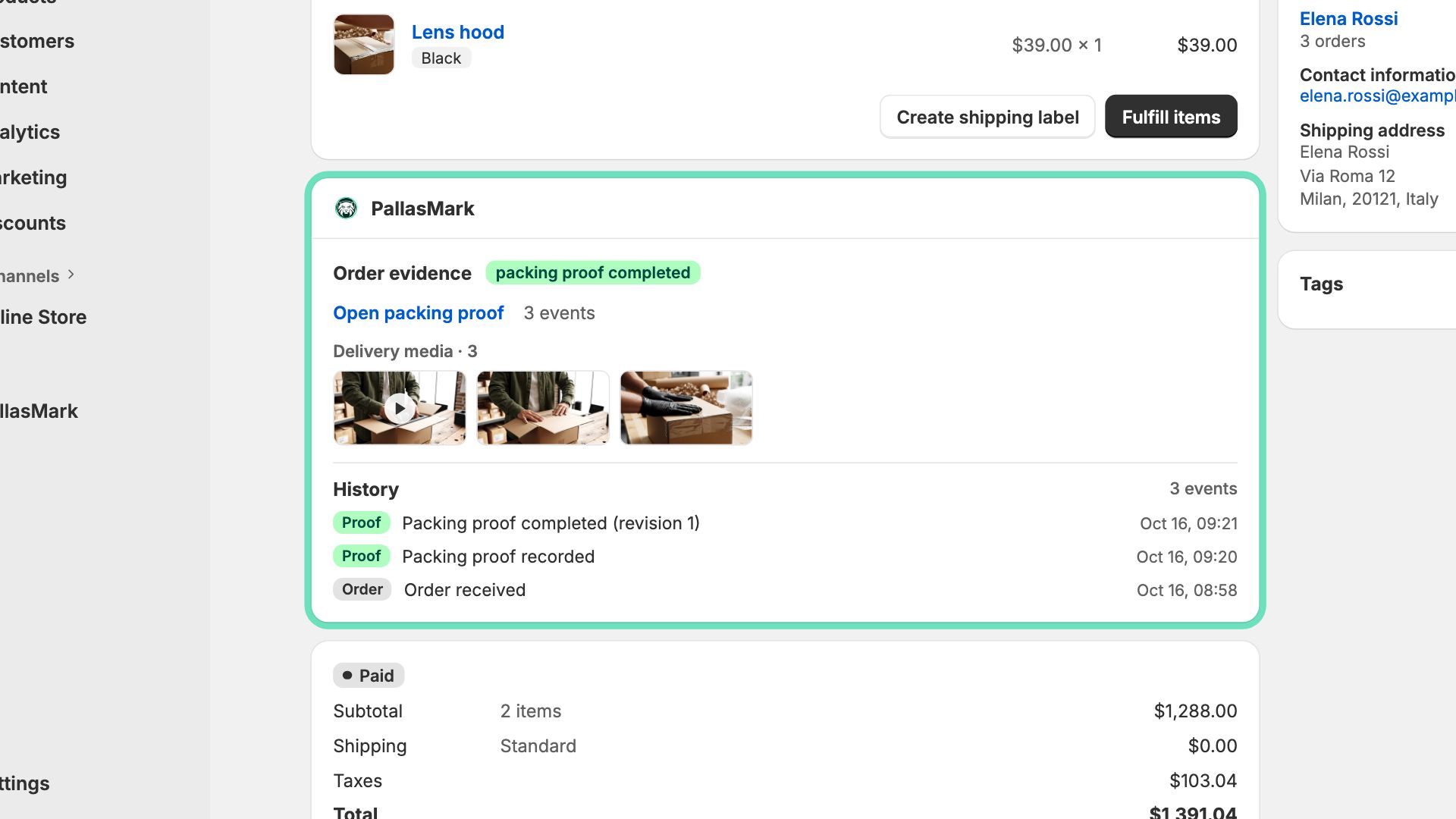
This is what your team sees in Shopify once PallasMark is installed. How you fulfill orders does not change.
Add PallasMark from the Shopify App Store. It opens inside your Shopify admin with the store already recognised, and one sign-in links it to your PallasMark workspace.
New Shopify orders appear in PallasMark ready to record. With write-back on, each Shopify order is tagged with its proof status, so you can filter the order list by pallasmark:proof-complete or pallasmark:approved.
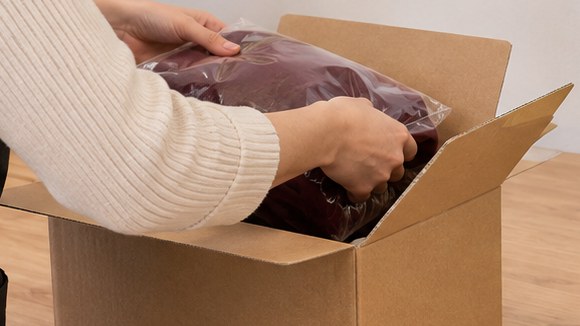
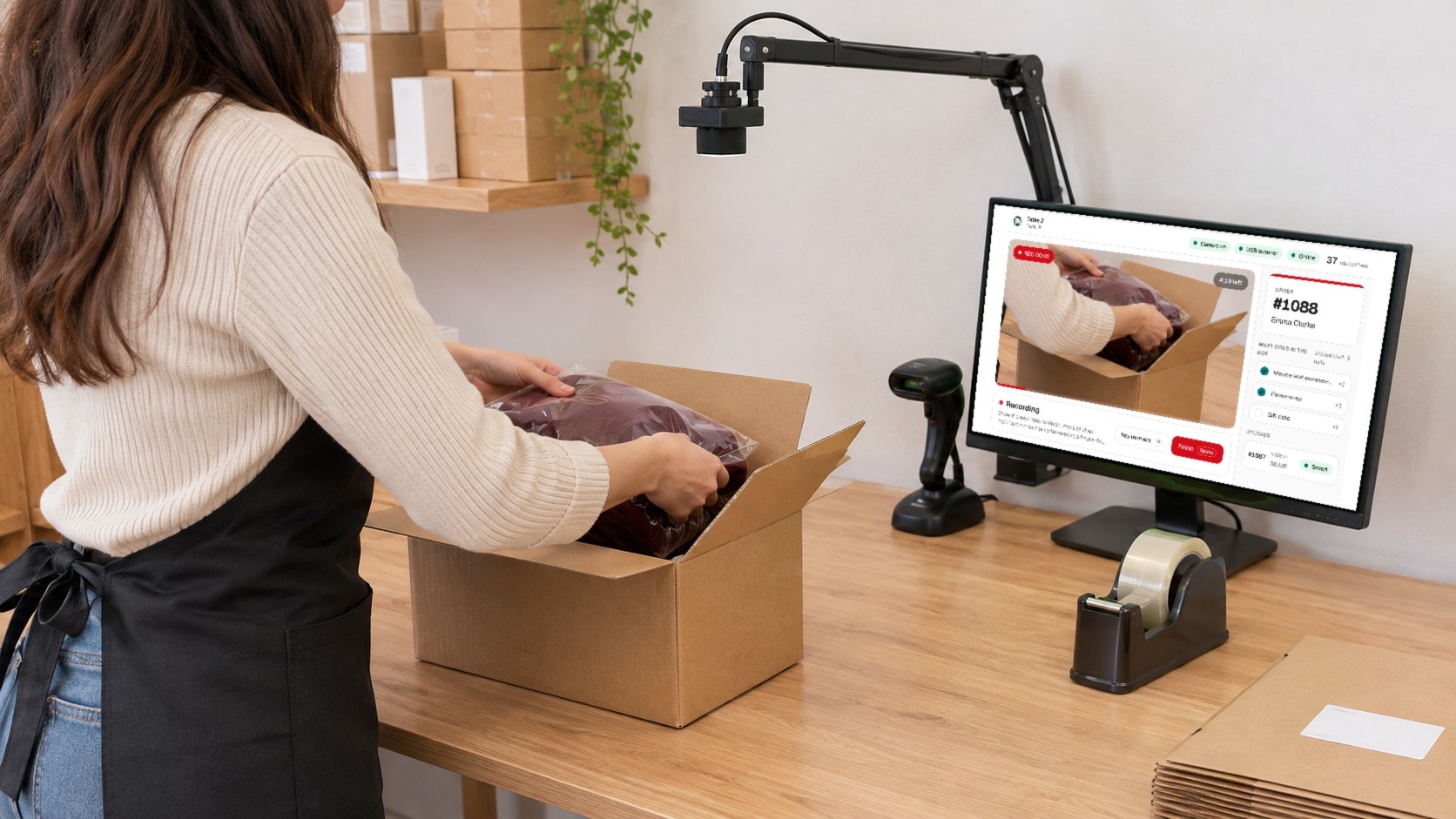
Use whichever fits the bench: a webcam above the packing table that starts recording when it sees the label, or the phone app your team already carries. Either way the video is saved to that Shopify order and sealed with a fingerprint.
Open the order in Shopify: the PallasMark block shows the proof status, the packing video and its history. With write-back on, a note with the buyer link and the proof tags are added to the order, and each change appears in its timeline.
Related product guides
Install from the Shopify App Store and approve the requested access in Shopify. The connection uses OAuth, so there is no API key to copy into a form.
Shopify order events bring eligible orders into PallasMark. Check the connection and try an order import before your team starts recording.
Open the order on a phone or computer already at the bench and record video or photos. Attach evidence to a specific line item when you need to distinguish products in a multi-item order.
Finish the record to preserve its completed revision and file hash. Your team can review the proof in PallasMark before deciding what to share.
When enabled, proof references are added to the Shopify order for staff to find. Sending a buyer link is a separate action; PallasMark does not change fulfillment or payment status.
See what Shopify sends to PallasMark, what a completed proof contains, and which references can be written back to the order.
Install PallasMark from the Shopify App Store and approve the requested access in Shopify. The connection uses Shopify’s authorization flow; there is no API key to paste.
Eligible order events are brought into the connected workspace. Check the connection and test an order after setup; do not assume the connector imports a complete historical archive.
Shopify sends order events to PallasMark through webhooks. Delivery timing depends on Shopify and network availability, so check the connection status if an order is delayed.
Yes. Connect each store separately and confirm its identity before recording. Store and workspace access rules still apply.
PallasMark uses the order and item context needed for the connected workflow. Available fields depend on the approved Shopify access and the data present on that order.
Yes. A proof can be associated with the Shopify line item, product and variant it documents, which helps distinguish products in a multi-item order.
Yes. Your team can record video or photos on a phone or computer at the packing station, then complete the proof in PallasMark.
Review the proof in PallasMark. When order write-back is enabled, its reference is also added to the connected Shopify order for staff to find.
No. Order write-back and buyer sharing are separate actions. Your team chooses whether to create and send a buyer link.
Completed proof files have a SHA-256 hash, and the public verification page can check the original file against that record.
When enabled, PallasMark can add proof metafields and a tag. A timeline note is added when that write-back target is selected.
No. PallasMark does not hold, release, ship, cancel or refund Shopify orders, and it does not change their payment or fulfillment status.
The app does not request a separate customer-list scope. Order records may still contain recipient or contact fields needed for the connected workflow.
No. The connection brings eligible order context into PallasMark; it does not create or cancel Shopify orders.
PallasMark receives Shopify return events when the return system creates or syncs a Shopify Return record. It can collect evidence for that request; Shopify or the connected returns app handles approval, exchange processing, and refunds. A portal that does not sync Shopify Return records needs a separate connector.
PallasMark stops adding proof references to Shopify. Completed proof remains available in PallasMark, and buyer sharing stays a separate action.
Confirm that the correct store is connected, review its status and permissions, and compare the order with the supported event scope. Contact support with the store and order reference if it remains missing.
Yes. The packing workflow can be opened on a phone or computer already at the bench; a fixed camera is not required.
No. It does not buy shipping labels or send buyer messages automatically. Your team controls any separate sharing action.
No. A proof gives your team a reviewable record. Shopify, a carrier, payment provider or other reviewer controls its own decision and evidence requirements.
Find the right connection, check its scope, then test one order with your team.