



Nothing to type01
Every order is ready to record
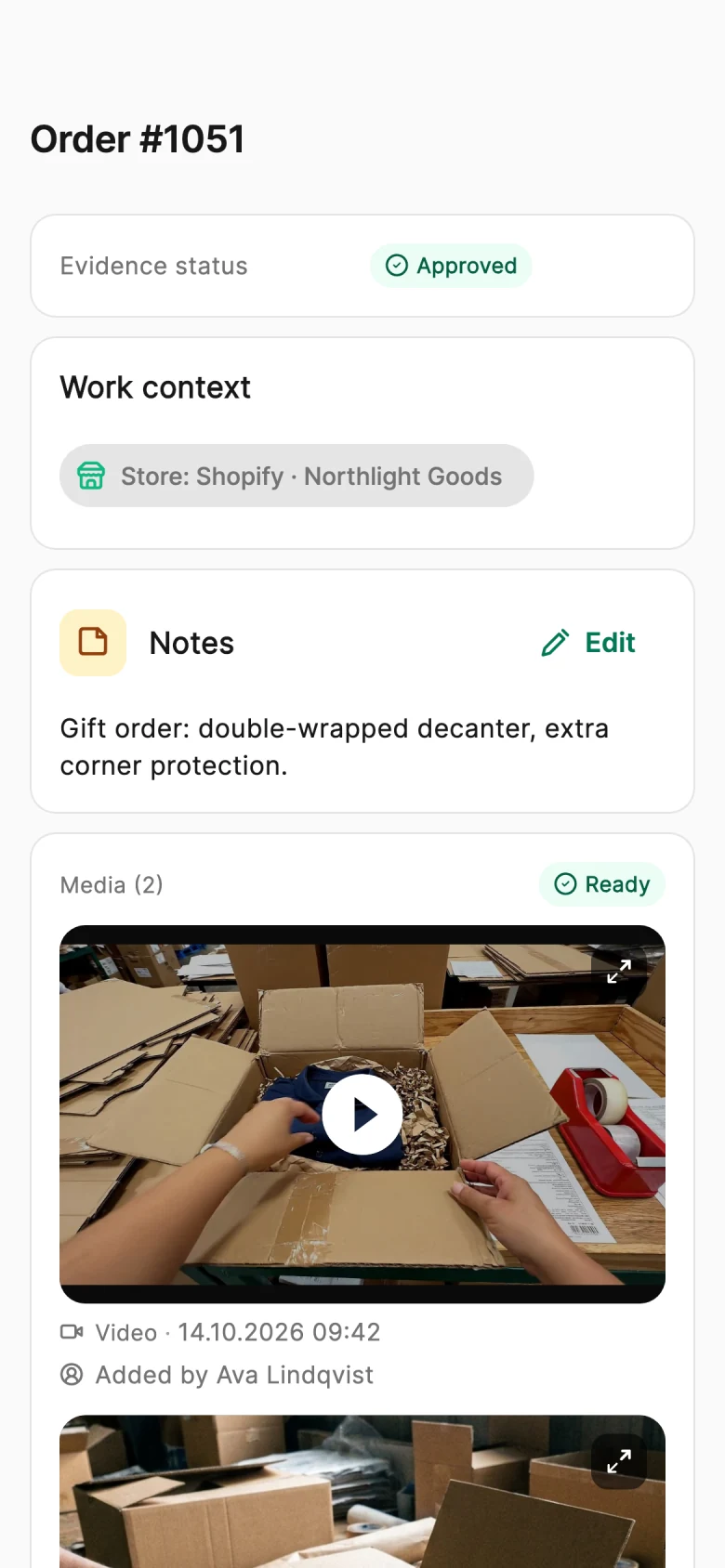
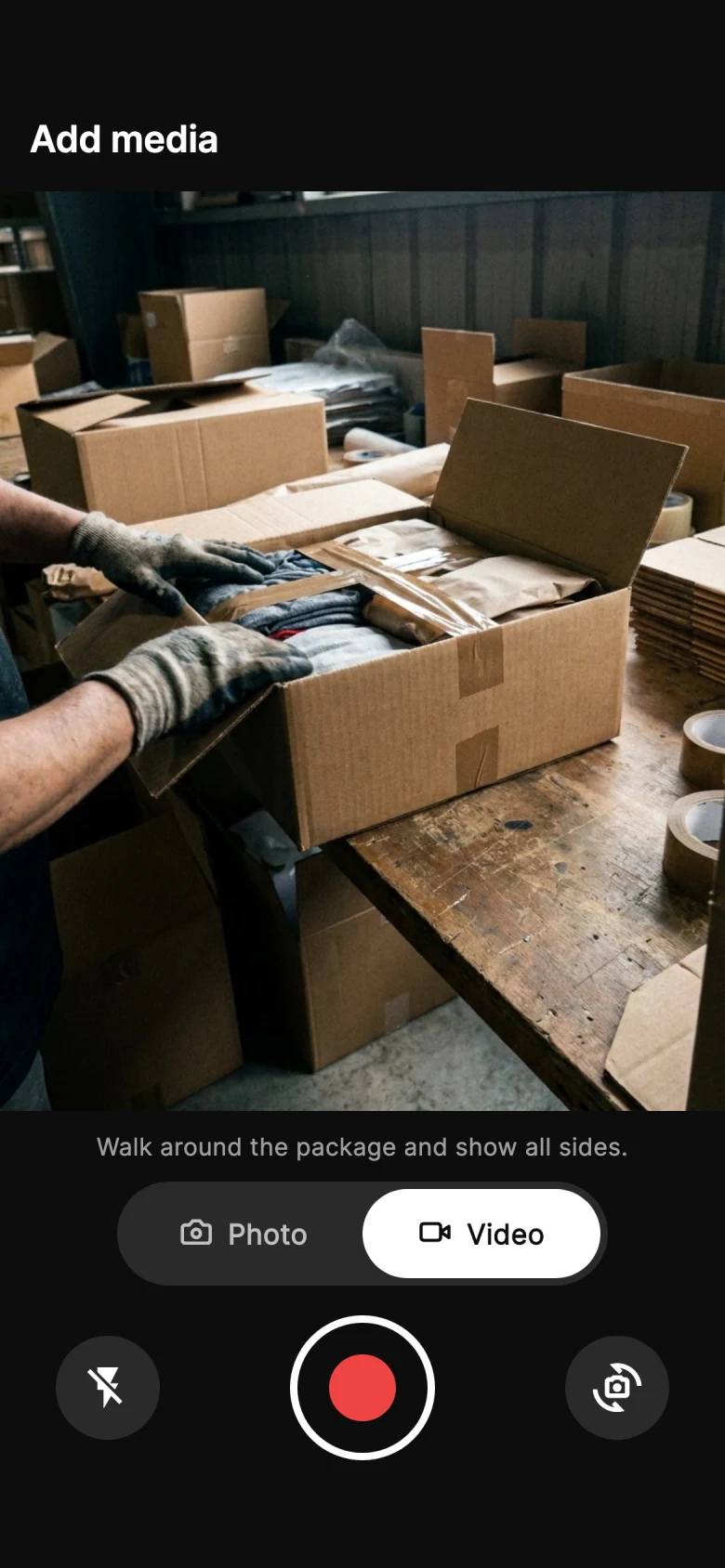
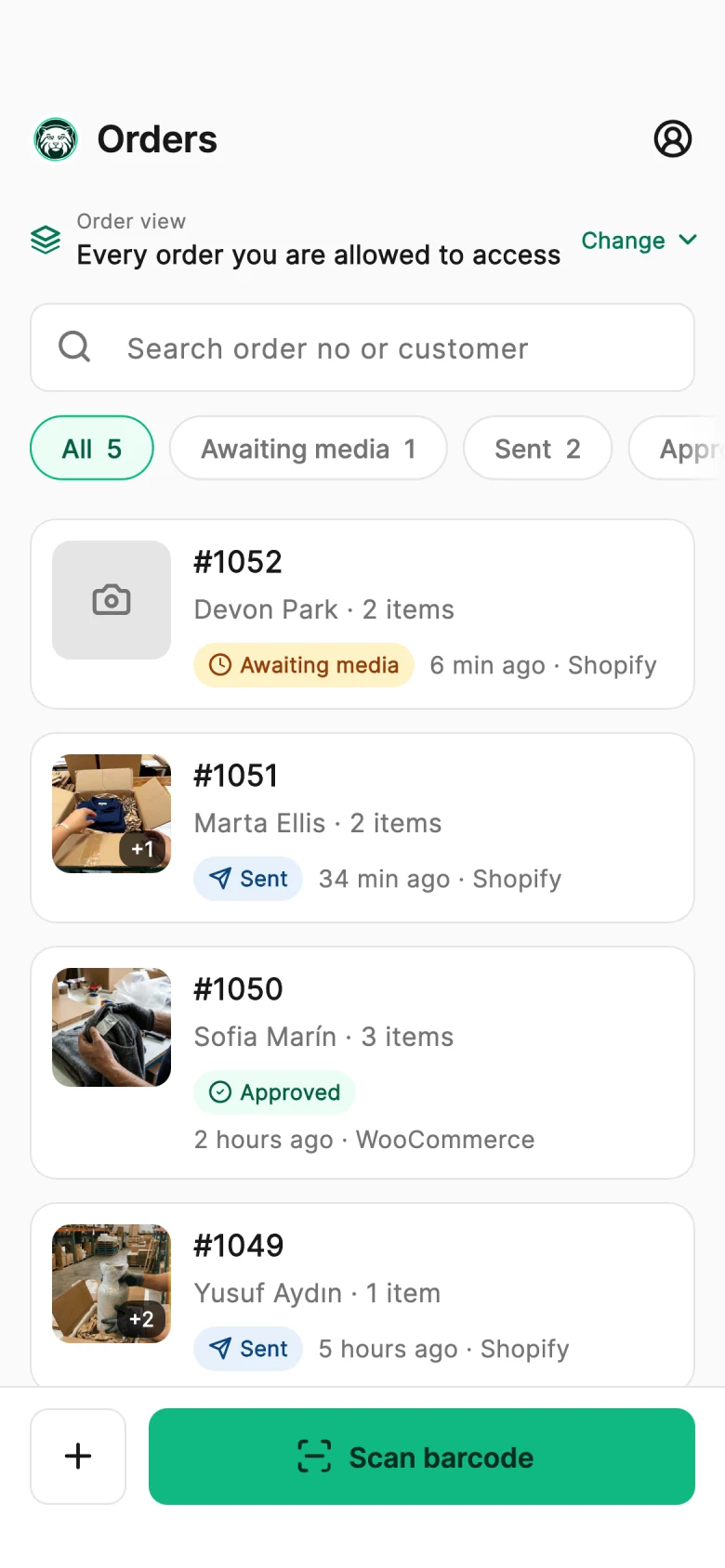
New orders appear in the PallasMark app with the buyer and items filled in. Your team scans the label or taps the order and starts recording.
Install the Shopify app or the WooCommerce plugin. Orders arrive ready to record, and the proof link goes back to the store order.
The round trip
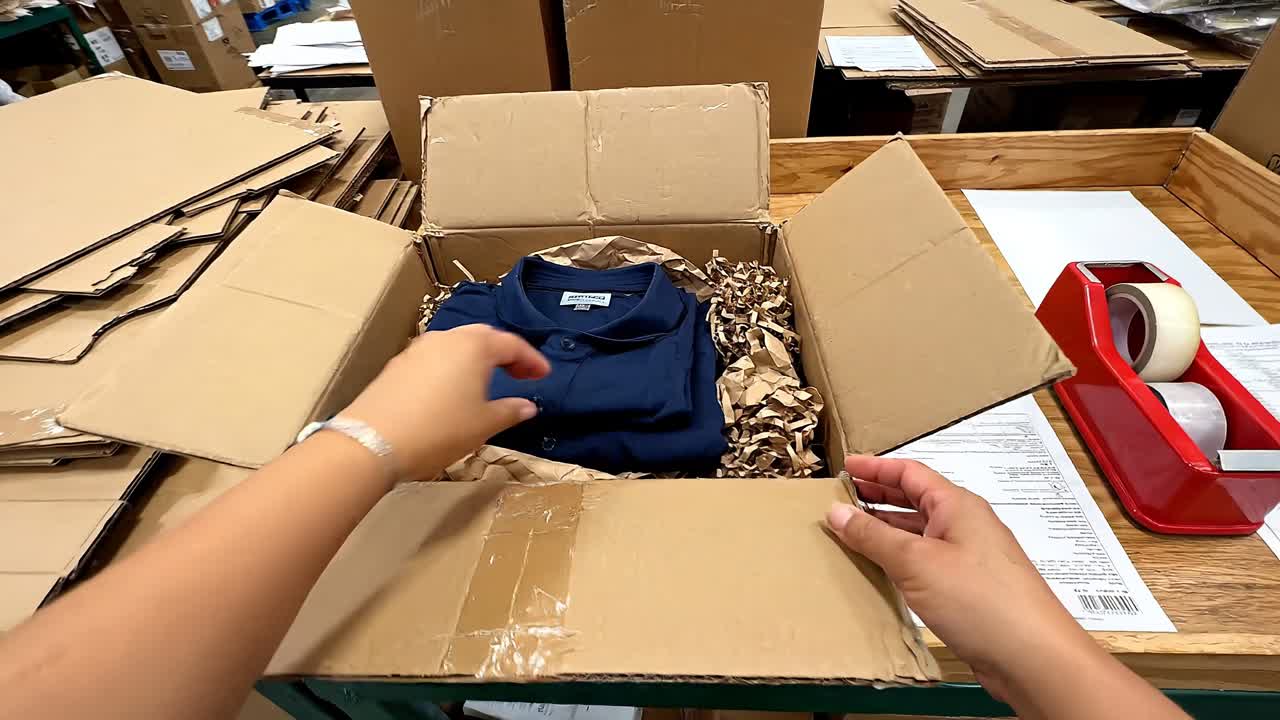
Orders arrive from your store ready to record. When the packing evidence is sealed, the status and link go back into the same order — where your team and your support inbox already look.
Shopify, WooCommerce, Amazon, ShipStation and ShipHero orders appear in the PallasMark app ready to record.
Your team records against the order number, and every file is fingerprinted.
Shopify gets order metafields and pallasmark: tags; WooCommerce gets a private order note and hidden fields.
Why connect your store
Evidence in one tool and orders in another means nobody finds either
If the packing video lives in a phone gallery or a shared drive, the person answering the complaint has to go looking for it. Proof only helps if it sits next to the order when the question arrives.
New orders appear in the PallasMark app with the buyer and items filled in. Your team scans the label or taps the order and starts recording.
When the recording is sealed, the Shopify or WooCommerce order is updated with the evidence status and a link to it, so anyone opening that order can find the proof.
PallasMark never holds, ships or refunds an order and never changes its fulfilment or payment status. It records evidence and adds a link.
How the store connection works
Real PallasMark screens, shown with sample orders.
Step 1 of 4
What the connection does
App and plugin
Install from the Shopify App Store or the WordPress.org plugin directory and approve the connection. There are no API keys to copy by hand.
Order import
New orders reach PallasMark as they are placed, and one click brings in your store's latest orders, so the list is not empty on day one. Scanning the label of an older order looks it up in the store.
Proof write-back
Shopify gets the evidence status and links as order metafields, with pallasmark: status tags and a timeline note; WooCommerce gets a private order note the buyer does not receive and an evidence box on the order screen.
Shipment details
Carrier and tracking number are read from Shopify fulfillments or WooCommerce shipment tracking and shown in the order's evidence file. PallasMark does not create or track shipments.
Read-only status
Fulfilment and payment status are shown as context only. PallasMark never holds, releases, ships or refunds an order.

Other platforms
Besides Shopify and WooCommerce, orders can also come from Amazon, ShipStation and ShipHero, or be added by hand in the app.
Same complaint, two inboxes
The video exists either way. Whether anyone can find it is the difference.
Without a connected store
Proof nobody can findA buyer writes in about order #1042.
Someone searches a phone gallery and a shared drive for the video.
The answer goes out late, or without the proof.
With PallasMark connected
Proof on the order, in secondsOrder #1042 arrived in PallasMark when it was placed.
The packing video was recorded against it and sealed.
The proof link is already on the order in your store.
Connect Shopify or WooCommerce, record the packing for one order, and find the PallasMark evidence on that order in your store.
Setup takes a few minutes and needs no code.
Facts, not adjectives. Everything below describes what the product does today — nothing here is on a roadmap.
Availability
Store connections are available on every plan. The number of connected stores and monthly orders depend on your plan.
Pricing
Nothing to type
Every order is ready to record
Proof where you look
The evidence link sits on the store order
Your store stays in charge
We read orders. We never move them.
Questions merchants ask
The PallasMark store integration connects a Shopify or WooCommerce store to PallasMark, so orders sync automatically and packing video evidence is linked back to each order. You install the PallasMark app from the Shopify App Store or the PallasMark for WooCommerce plugin from WordPress.org and approve the connection. New orders then appear in the PallasMark app ready to record, and once the packing video or photos are sealed with a SHA-256 fingerprint, the store order is updated with the evidence status and a link. Shipping, fulfillment and payment stay entirely in your store.
Yes. With the PallasMark app from the Shopify App Store, every packing video is tied to its Shopify order automatically, with no manual uploads. When packing is sealed, PallasMark writes the evidence status and links to the sealed media, with their SHA-256 fingerprints, into pallasmark order metafields and adds the pallasmark:proof-complete tag, so you can filter those orders in Shopify admin. When you send the proof to the buyer, the buyer proof link and an order timeline note are added as well.
Yes. PallasMark – Video Proof & Buyer Approval for WooCommerce is listed in the WordPress.org plugin directory. Install it, click Connect to PallasMark and approve the store access WooCommerce asks for; no API keys are copied by hand. New and updated WooCommerce orders then reach PallasMark through webhooks, ready for packing video. After the recording is sealed, PallasMark adds a private order note the buyer is not emailed, saves the status and evidence link in hidden order fields, and shows a PallasMark evidence box on the order screen in WooCommerce admin.
A few minutes, with no developer and no code. On Shopify, install the PallasMark app from the Shopify App Store and approve the requested permissions. On WooCommerce, install the PallasMark plugin from WordPress.org, click Connect to PallasMark and approve the store access WooCommerce asks for. You never copy API keys by hand. From then on, new orders flow into PallasMark as they are placed, and one click brings in your store's latest orders, so your team can start recording packing videos the same day.
You can bring them in with one click. From the Orders or Integrations page, PallasMark fetches up to your latest 100 Shopify or WooCommerce orders, with the buyer and items filled in. Importing does not message buyers or write anything to your store, and orders already in PallasMark are refreshed instead of duplicated. If your team scans the label of an older order that is not in PallasMark yet, the app looks it up in the connected store, so packing video can still be recorded against the right order.
No. PallasMark never changes an order's fulfillment or payment status, and never holds, ships or refunds an order; it only adds evidence details. On Shopify those are order metafields in the pallasmark namespace (evidence status, proof link, fingerprint), pallasmark: tags such as pallasmark:proof-complete and, by default, an order timeline note. On WooCommerce they are a private order note the buyer never receives and hidden pallasmark order fields. You can switch off the timeline note, or turn store write-back off entirely, in PallasMark settings.
The write-back is queued and retried. Every update PallasMark sends to Shopify or WooCommerce goes through a durable write-back queue: if the store or its API is briefly unavailable, the job is retried automatically several times at increasing intervals, and the status and link appear on the order once the store responds. The packing evidence itself is never at risk, because it is stored and SHA-256 fingerprinted in PallasMark first; the store order only carries the status and a link to it.
Yes. Besides Shopify and WooCommerce, PallasMark takes orders from ShipStation, ShipHero and Amazon, so a warehouse, 3PL or marketplace seller can record packing video evidence against the order numbers it already works with. Orders from these sources appear in the PallasMark app ready to record, each recording is sealed with a SHA-256 fingerprint and kept with its order, and the evidence can be shared with the buyer or added to an evidence file. Write-back into the order itself is built for Shopify and WooCommerce stores.
Yes. A store connection is optional. You can add orders by hand in the PallasMark app, or create them through the PallasMark API on the Business and Scale plans, and record packing video evidence for them exactly as you would for a Shopify or WooCommerce order. Every recording is sealed with a SHA-256 fingerprint, can be checked on a public verification page, and can be shared with the buyer or added to an evidence file, whether or not the order came from a connected store.
Still have a question?
Talk to us and we will walk you through it with your own orders.
Connect Shopify or WooCommerce in minutes; orders come in and the proof link goes back.
Each part is useful on its own. Together they turn one recording into an answer for every kind of claim.