Before it is put away01
Condition recorded at the dock, not remembered later
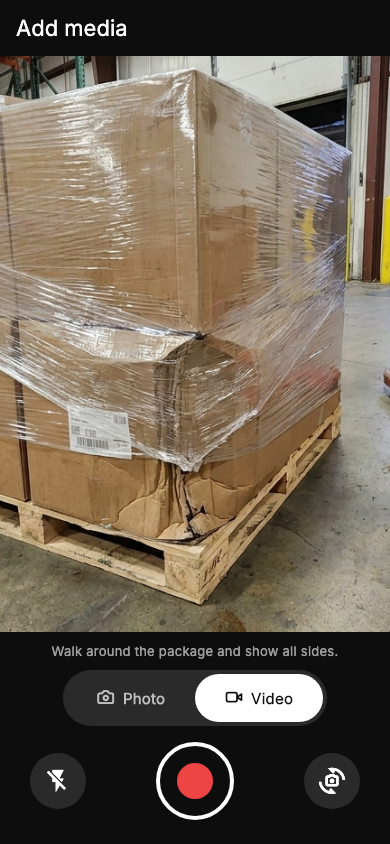
Film the pallet as it arrives or before it leaves. Each photo and video gets a SHA-256 fingerprint and is logged with the time, the operator and the facility.
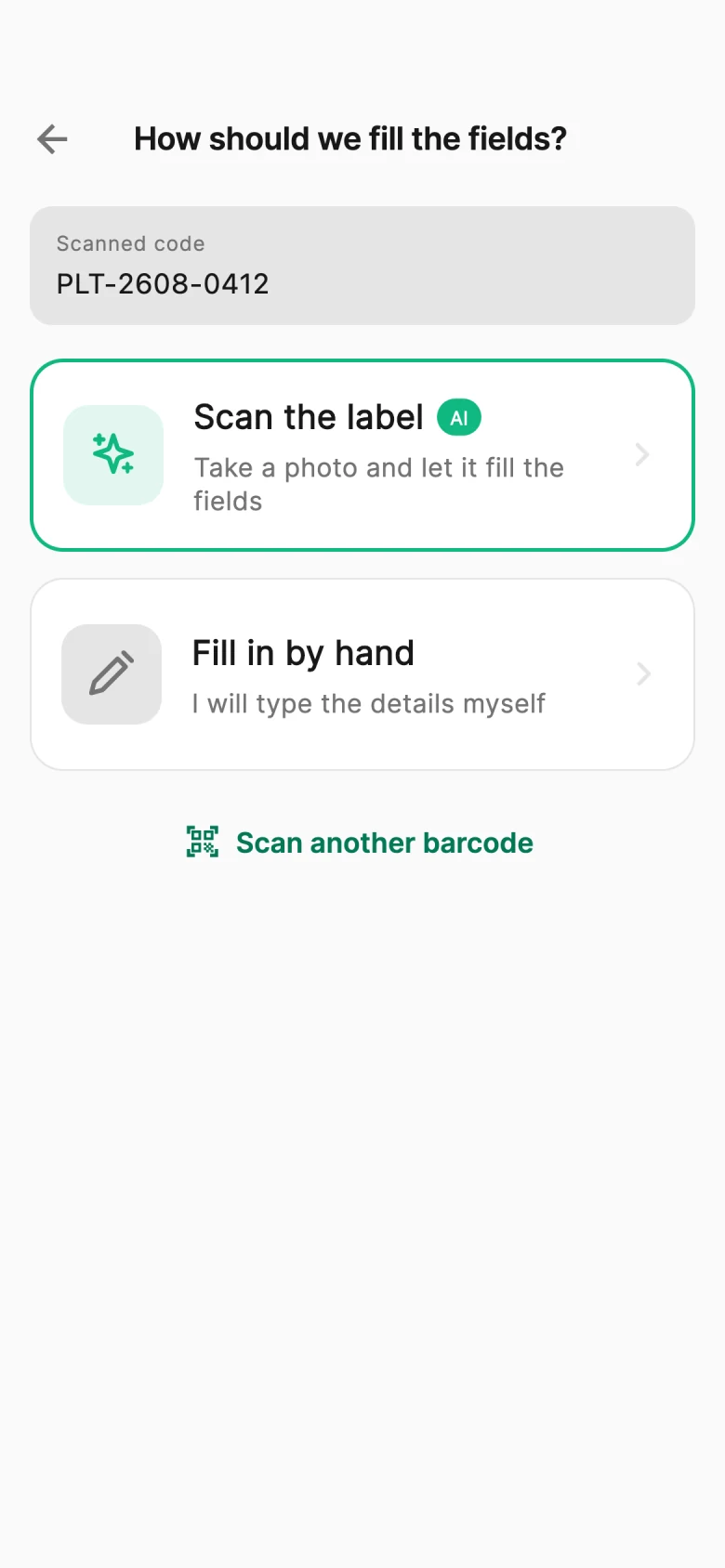
Scan the pallet label, film its condition and keep it under that reference. When a client, carrier or insurer asks, send one link.
Why warehouses use it
A damage claim three weeks later is decided on whoever has the better photo
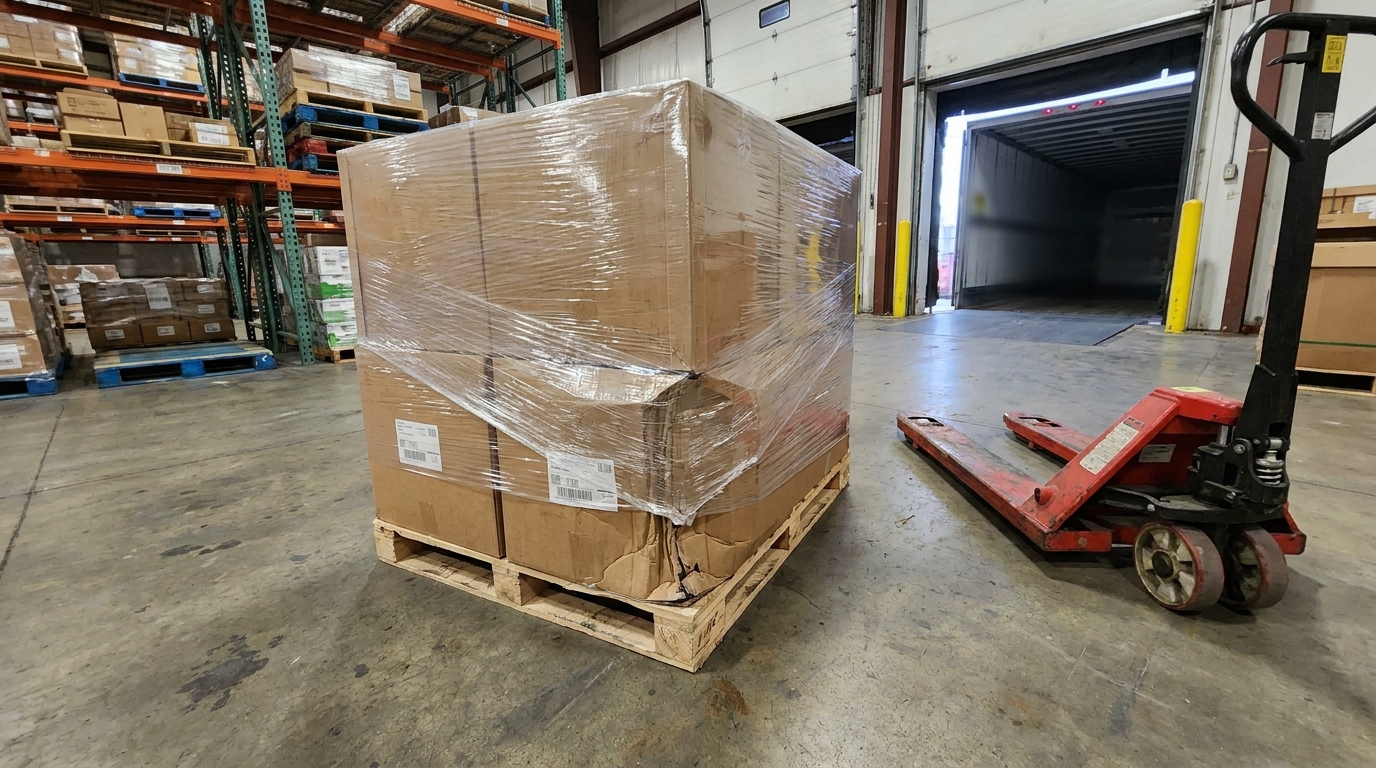
The pallet arrived with a crushed corner, or left your dock intact — but the photo is on someone's phone, without a reference or a time anyone can check. By the time the claim comes in, the evidence is either missing or impossible to find.
Film the pallet as it arrives or before it leaves. Each photo and video gets a SHA-256 fingerprint and is logged with the time, the operator and the facility.
Scan the label and the record opens under that pallet or shipment number, so anyone can find it later by the number on their own paperwork.

Send a client, carrier or insurer a link to that one record. They open it in a browser — no account, no access to anything else.
At the dock
No typing reference numbers and no handheld scanners. The phone your team already carries opens the right record, fills the label fields and records the pallet’s condition.
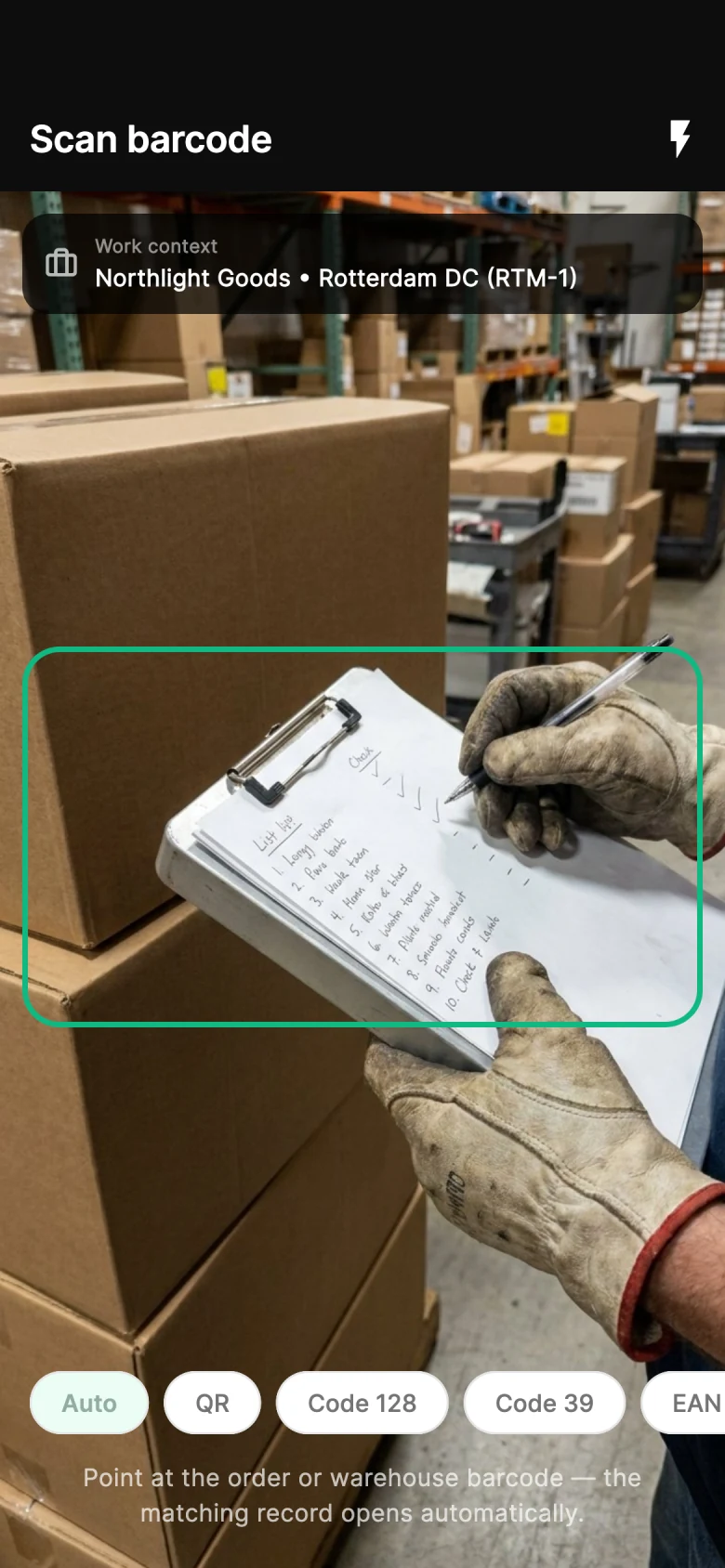
The barcode opens the right pallet, case or container record — or starts a new one under that reference.
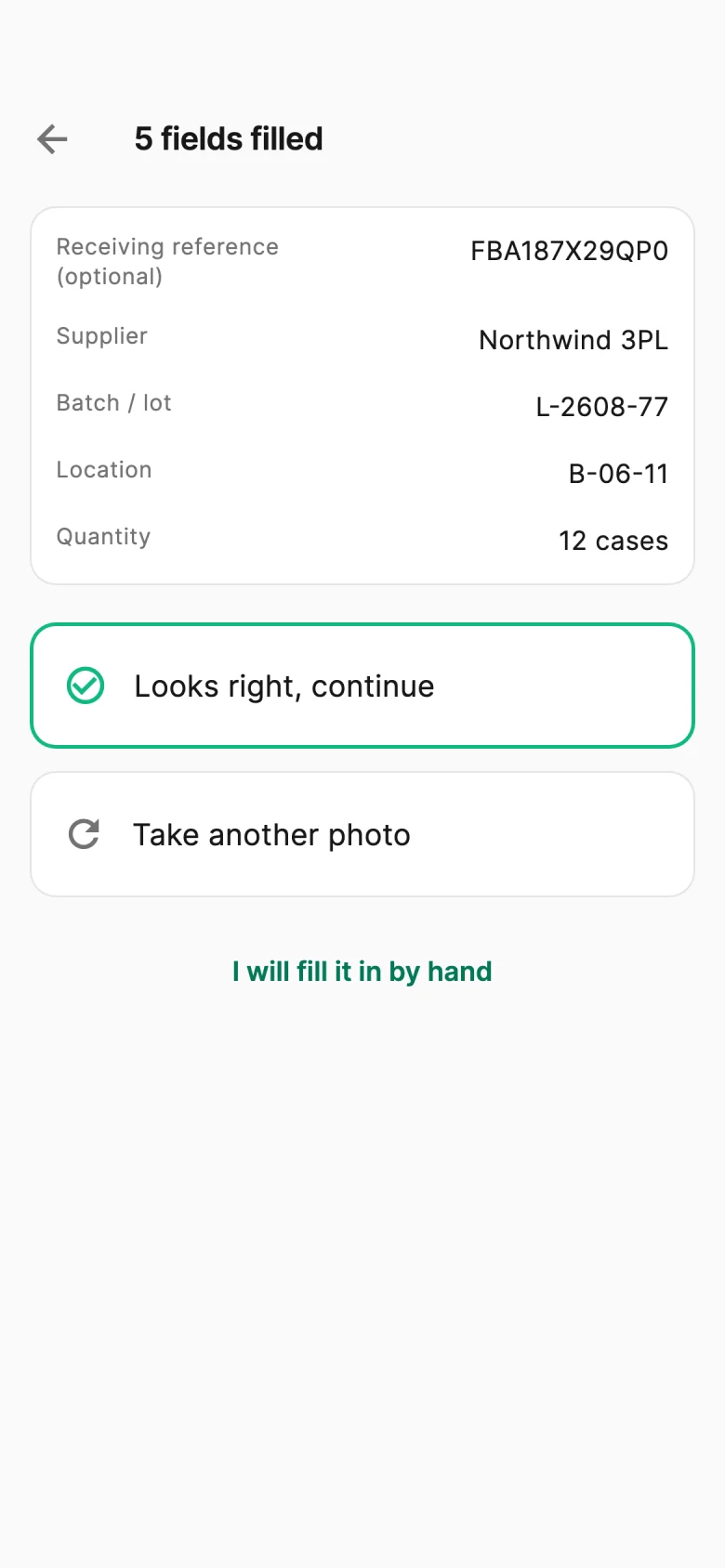
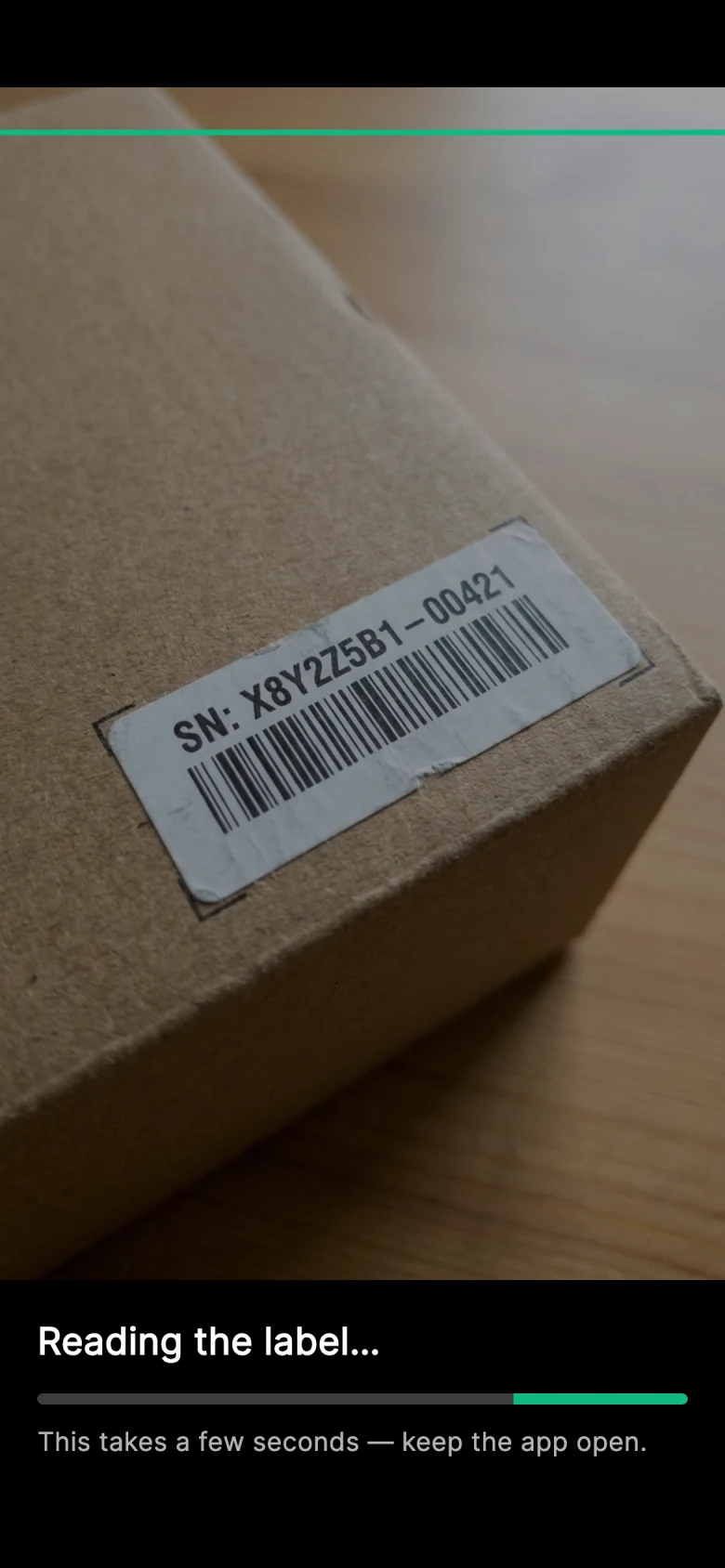
Type them, or on Scale photograph the label and let AI read the reference, supplier, batch and location.
Photos and video of the pallet, fingerprinted and logged with the operator, the time and the facility.
Same pallet, two endings
The pallet is the same. What you can show about it is not.
Without a condition record
Decided on the better storyA client reports pallet RCV-1048 arrived damaged.
Someone looks for photos on the receiving team's phones.
There is no time, no reference and no way to check them.
With PallasMark
Answered with the recordRCV-1048 was scanned and filmed at the receiving dock.
The record shows the crushed corner on arrival, with time and operator.
You send the client one link to that record.
What a warehouse record holds
Barcode scan
Point the phone at the barcode and the matching shipment or pallet record opens. If more than one barcode is visible, the operator picks the right one.
AI label reading
On Scale, photograph the label and the fields you use are filled in: shipment reference, supplier, batch or lot, location, damage status and your own custom fields. Every value stays editable until the operator saves.
Fingerprinted evidence
Every photo and video gets a SHA-256 fingerprint and is logged with the operator, the time and the device, the same fingerprint every PallasMark recording carries.
Facility check
Each record belongs to a facility. Where the phone shares its location, the capture is checked against the facility's area and recorded as inside, outside or not checked.

Pallet share link
Share a single record with a client, carrier or insurer. They see that pallet's evidence in a browser, without an account.
Offline queue
If the connection drops, recordings wait in a queue on the phone and upload on their own when it comes back.
How warehouse records work
Real app screens, shown with sample warehouse data.
Step 1 of 4
Record a receiving or dispatch check against the right facility and reference, then share the record.
Warehouse workflows are included on every plan.
Facts, not adjectives. Everything below describes what the product does today — nothing here is on a roadmap.
Availability
The warehouse workflow is included on every plan with one facility. Additional facilities and AI label reading are set in a Scale agreement.
PricingBefore it is put away
Condition recorded at the dock, not remembered later
Find it by the reference
Filed under the number on the label
One link to send
Share a single pallet's record, nothing more
Questions merchants ask
Warehouse & pallet proof is PallasMark’s condition record for pallets, cases and containers at receiving and dispatch. An operator scans the unit’s barcode with the PallasMark phone app, photographs and films its condition, and saves it under the label’s reference at the right facility. Each file gets a SHA-256 fingerprint and is logged with the operator, the time, the device and, when the phone shares it, the location. When a client, carrier or insurer raises a freight damage claim, you find the record by its reference and send a link to that one record.
Yes. The warehouse workflow is included on every PallasMark plan, with one facility, and there is no separate warehouse module to buy. Barcode scanning, receiving and dispatch records, condition photos and video, the facility location check, search and filters, and share links all come with the plan your team already uses. 3PLs and warehouses can start on any plan and record inbound and outbound pallets the same day. Additional facilities and AI label reading are set in a Scale agreement.
No. Warehouse staff use the same team seats as everyone else in PallasMark. There is no separate operator, dock or device licence. Each person signs in to the iOS or Android app with their own login, so every receiving or dispatch record shows exactly who scanned the label and who filmed the pallet. Records can be filtered by the person who created them, which lets shift leads and 3PL account managers review a dock team’s work. Dock staff and office users draw from one pool of seats.
Yes. Scanning the barcode on a pallet, case or container opens its record in the PallasMark app straight away, with no typing or searching. If there is no record yet at that facility, a new one starts under the scanned reference. If the label carries several barcodes, the operator taps the right one. A haptic confirmation tells the operator the scan matched, so they don’t have to look at the screen while holding the phone over a pallet, and recording the condition is one tap from the record.
Yes. Every warehouse record has a shipment reference field for the PO, ASN or bill of lading number, next to supplier, material number, batch or lot, location and damage status. Inbound photos and video stay attached to that record. The dashboard search finds it by the label number, the shipment reference, the supplier or the location. You can also filter by facility, damage status, client brand, date and operator. So when a freight damage claim arrives weeks after receiving, the evidence is one search away instead of somewhere on a dock team’s phones.
Keep it to scan, film and move on. The barcode scan opens the right record, and on Scale a photo of the label fills the fields. Uploads run from a queue on the phone, so the operator never waits for a file to finish before scanning the next pallet. If dock Wi-Fi drops, recordings stay queued and upload on their own when the connection comes back. PallasMark runs on the iOS and Android phones your receiving team already carries, with no handheld scanners or extra hardware.
AI label reading fills the form, and every value stays editable until the operator saves. The reader is instructed to leave a field empty when it can’t read it instead of guessing. The scanned barcode always stays the record’s ID, and if the label photo shows a different number, the app flags the mismatch. It reads the standard fields you enable (shipment reference, supplier, material number, batch or lot, location, damage status) plus your own custom fields. AI label reading is part of Scale agreements.
Yes. On Business and Scale, a WMS or ERP can create and read warehouse records through the PallasMark API with keys scoped to warehouse:read and warehouse:write. It can also subscribe to the warehouse.record_created and warehouse.condition_recorded webhook events. Warehouse scopes are separate from order scopes, so a key issued to a WMS integration works with pallet records without seeing your store orders or buyers. Every webhook is signed with HMAC-SHA256 so your system can confirm each delivery came from PallasMark.
Still have a question?
Talk to us and we will walk you through it with your own orders.
Scan the label, film the pallet, and keep the record under the reference everyone already uses.
Each part is useful on its own. Together they turn one recording into an answer for every kind of claim.