Part of the Proof of packing guide
Packing station SOP template: setup, one-take recording and daily checks

On this page
Printable resource
Packing Station SOP Template
A two-page, printable packing station SOP: station details, setup checks, the per-order scan and one-take recording sequence, photo rules, exception handling and a daily check log.
When to use this packing station SOP
Use this packing station SOP when more than one person packs orders, when you are about to start recording packing for evidence, or when a dispute has shown that your records are inconsistent. It works for a single bench in a stockroom and for a row of stations in a warehouse.
The template is built around one goal: every order packed at the station should produce proof of packing that a third party can check. That means the procedure is less about speed and ergonomics, which your layout already handles, and more about the record each order leaves behind. If you only need the capture rules, start with what makes a packing video count as evidence; this SOP turns those rules into a routine a team can follow.
The packing station SOP template
The template has six parts. Copy them into your own document, or download the printable version above and fill in the blanks.
1. Station setup
The box rules come from carrier guidance. UPS's packaging guidelines advise avoiding re-used boxes, removing or concealing old labels and shipment markings, using at least two inches of cushioning around the contents and never exceeding the maximum gross weight printed on the box maker's certificate. A damage claim is easier to defend when your recording shows those rules being followed.
2. Start every order the same way
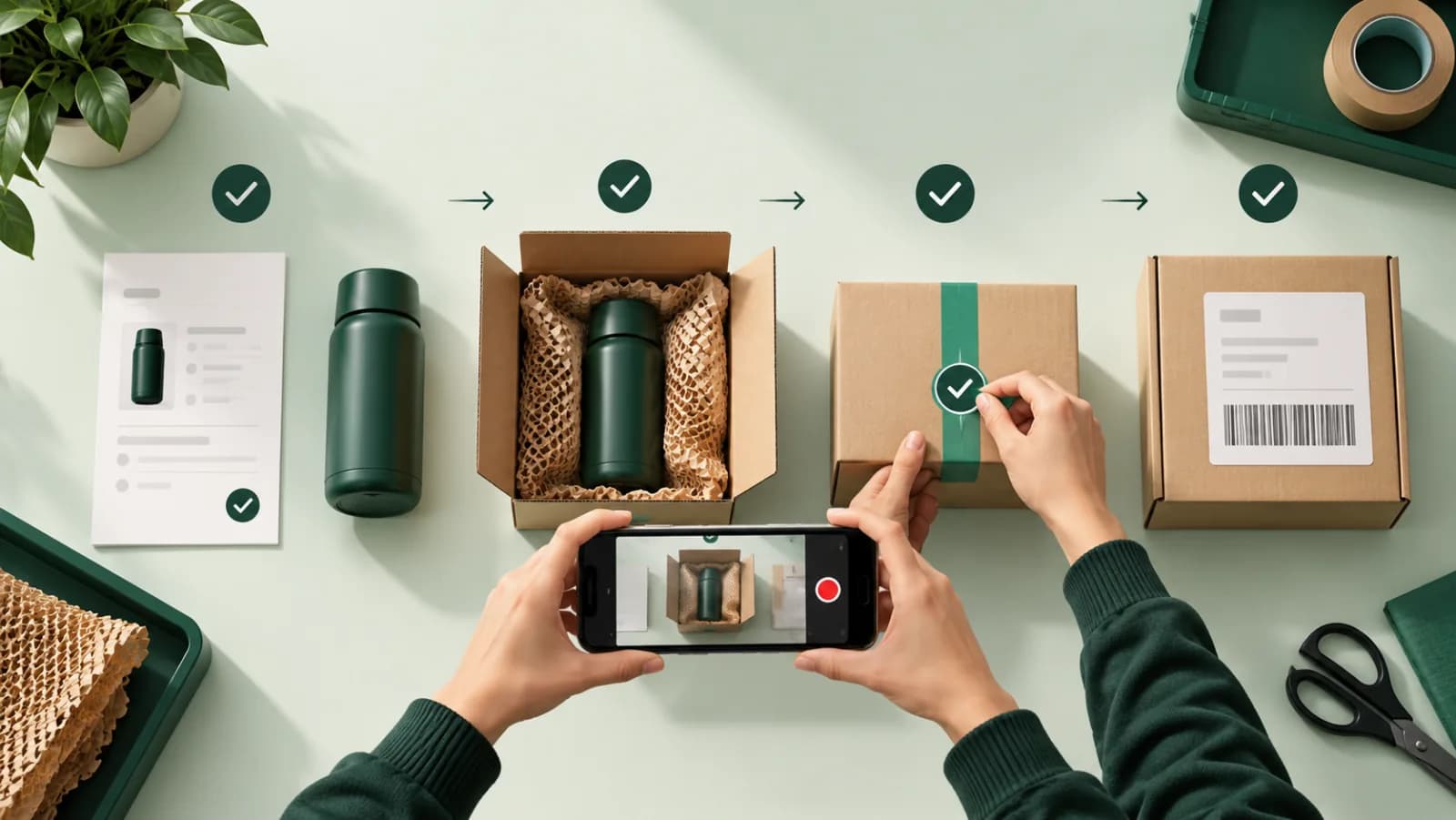
3. The one-take recording sequence
Record the whole sequence in one continuous take. If something goes wrong mid-take, stop, discard nothing, and start a new recording for the same order.
| Step | Show on camera | Done when |
|---|---|---|
| 1. Order reference | The picking slip or label next to the empty box | The order number is readable in frame |
| 2. Item | Each item lifted toward the camera, one at a time | Every line on the slip has been shown |
| 3. Condition | Each item turned so the faces most likely to be disputed are visible | No visible defects, or defects shown and noted |
| 4. Label | Size, color, product label, serial or lot sticker next to the order reference | The identifier is readable and in the same frame as the order |
| 5. Padding | Items placed in the box, padding added around them | Contents cannot shift when the box is tilted |
| 6. Seal | The box closed and taped, then the shipping label applied | The tracking number is held steady and readable |
4. Photo rules
Photos supplement the video; they do not replace it. Take them when a still image will be easier for a reviewer to read than a video frame.
Card disputes run on images and PDFs, not video. Shopify's chargeback instructions accept only PDF, JPEG or PNG, so clear stills from the bench are what a bank reviewer will actually read.
5. Exceptions
Write down what happens when something goes wrong, so nobody improvises under pressure.
| Situation | What the packer does | Who decides next |
|---|---|---|
| Item damaged or defective at packing | Stop, show the defect on camera, set the item aside | Team lead: replace, contact buyer or hold |
| Item or quantity does not match the order | Stop, show the mismatch on camera | Team lead or inventory |
| Barcode will not scan | Open the order by number, show the slip clearly at the start of the take | Packer, then report the label issue |
| Recording failed or was interrupted | Start a new recording for the same order; never edit the old one | Packer |
| Custom or high-value order | Hold for buyer approval before sealing | Rule in the SOP (value, product type) |
| Phone storage full or no connection | Switch to the spare device; do not pack unrecorded orders on the recording list | Team lead |
For high-value and custom orders, the exception becomes the rule: record before sealing, send the buyer the recording and wait for approval. Photo approval before shipping explains how.
6. Daily checks
How to fill in the SOP for your station
Fill in the station details first: station name or location, the person who owns the SOP, the version date and which orders it covers. "Every order" is the simplest rule; if you record selectively, write the rule down (for example, orders above an amount, fragile SKUs, custom work, first orders from new accounts) so the packer never decides alone.
Then adapt the recording sequence to your products. Apparel needs size and color labels in frame; electronics need the serial number and, where practical, a powered-on screen; jewelry needs the piece, its certificate and the case. If your products carry serial or lot numbers, decide whether you capture them only on video or also as data; AI label reading for serial numbers covers the options.
Finally, name who decides each exception. An exception table with a blank "who decides" column is how damaged items end up shipped anyway.
Turning the SOP into evidence
An SOP produces evidence only if each order's record passes three tests: tied to the order, detectable if edited, and checkable by someone outside your business. The procedure above handles the first test at the bench; the other two depend on how the file is stored.
- Tied to the order: the barcode scan before the first frame and the order reference in the same frame as the goods.
- Detectable if edited: the original file fingerprinted when stored, so any change, even one frame, produces a different fingerprint. Never trim, rotate or re-export the original.
- Checkable by a third party: a link that opens in a browser with no account, so a buyer, bank, carrier or marketplace can check the file themselves.
Visa's dispute management guide for merchants (October 2026 edition) tells merchants to inspect merchandise before shipping and keep that inspection documented with checklists or photos, to answer not-as-described disputes. A filled-in daily check log plus a per-order recording is exactly that documentation. For damage claims, the buyer side matters too: USPS's claims guidance tells claimants to keep the original packaging until the claim is settled, so ask buyers who report damage not to throw the box away.
How each record maps to each dispute type is in proof of shipment vs proof of delivery vs proof of packing.
How PallasMark digitizes the packing station SOP
PallasMark turns the core of this SOP into the app your packers already hold, so the procedure is followed because it is the easiest path, not because the sheet on the wall says so.
Step 2 becomes one scan. Orders arrive on their own from Shopify, WooCommerce, ShipStation, ShipHero and Amazon (see integrations). The packer scans the barcode on the picking slip or shipping label and the PallasMark app opens that order, so the recording is bound to it before the first frame.
Step 3 is sealed on upload. Every stored file gets a SHA-256 fingerprint and a public verification page that re-hashes the file and shows whether it still matches. There is no edit button for recordings anywhere in the product. See tamper-proof video.
Step 4 is stamped. Photos are stamped with your company name, the order number and the upload time (UTC) inside the image file.
The station is any phone. The app runs on iPhone and Android in seven languages, or in the browser, with no mounted cameras, no fixed station and no per-station fees. See the packing video recording app.
The evidence is one PDF away. When a dispute arrives, generate an evidence PDF for the order with stills from the recording, photos, fingerprints and the tracking number read from your store, then upload it yourself where the dispute was filed.
Use it to run packing QA across benches and shifts. There is a free plan with no card; see pricing.
More printable templates are collected in free evidence templates, and the full category guide is what is proof of packing.
Frequently asked questions
What should a packing station SOP include?
At minimum: how the station is set up, how each order starts (clearing the bench and scanning the order barcode), the recording sequence from item to seal, rules for photos, what to do when something goes wrong, and daily checks. Each step should be specific enough that two packers would produce the same record for the same order.
How long should a packing station SOP be?
One or two printed pages. A procedure that fits on the wall next to the bench gets followed; a long manual in a shared drive does not. Put training detail and the reasons behind each step in a separate onboarding document.
Why record the whole pack in one take?
A cut is a place where a reviewer can imagine a swap, even if nothing happened. One continuous recording from the order scan to the shipping label shows the item, its condition, the packing and the seal without a gap. If a take goes wrong, start a new one rather than editing the old one.
Do I need a fixed camera at each packing station?
No. A phone on a stand covers the capture, and it moves with the packer if you open an overflow bench during peak weeks. What matters is that the recording is bound to the order, fingerprinted when stored and checkable by someone outside your business.
How often should the SOP be reviewed?
Review it whenever a dispute exposes a gap, such as a label that was never readable or a step packers skipped under pressure, and at least every quarter. Version the printed copy so everyone knows which procedure is current.
Can PallasMark replace the paper SOP?
PallasMark turns the core of it into the workflow: scanning the order barcode opens the order, the recording is tied to it and fingerprinted, and photos are stamped with your company name, order number and upload time. Keep the printed SOP for setup, exceptions and daily checks, which are about people and the bench.
- packing station sop
- packing station checklist
- pack station setup
- order packing process
- templates